
Tech
Virtual Reality for Corporate and Remote Work Environments

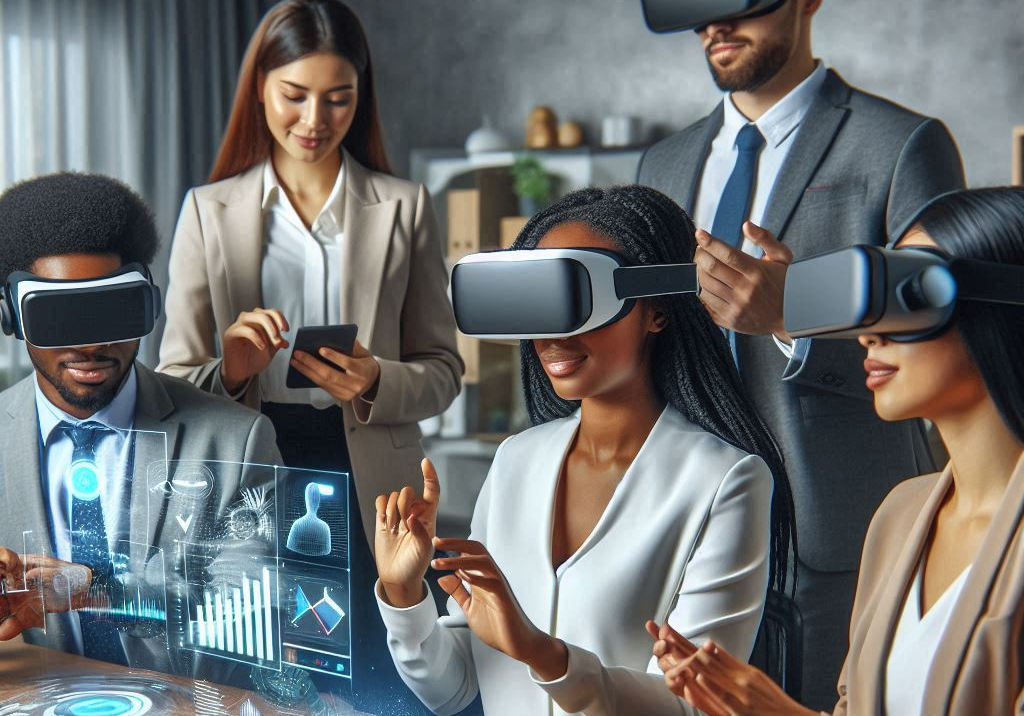
The corporate world is witnessing a revolutionary transformation through Virtual Reality (VR) technology. As remote and hybrid work models become the norm, organizations are increasingly turning to VR solutions to create immersive, collaborative workspaces. But how exactly is VR reshaping the future of work?
Key Takeaways
Virtual Reality is revolutionizing corporate and remote work environments in unprecedented ways. Here’s what you need to know:
- VR technology creates immersive workspaces that replicate physical office environments
- Advanced features like spatial audio and realistic avatars enhance remote collaboration
- Integration with AI and cloud computing enables real-time project management
- VR training programs offer cost-effective, engaging learning experiences
- The corporate metaverse facilitates seamless virtual meetings and team building
Key benefits for organizations include:
- Enhanced team collaboration
- Improved employee engagement
- Reduced travel costs
- Accelerated skill development
- Better work-life balance
Whether you’re a startup or an enterprise, understanding VR’s impact on remote work is crucial for staying competitive in today’s digital landscape.
In the last few years, the outlay of the human labor force has run the gamut. The truth is that with remote workforce and hybrid configurations thriving, it’s a busy time for the companies that want to keep the bridge between the physical office and the virtual connectivity going. Virtual Reality (VR) is a great game-changer in that it offers exemplary experiences that transform communication, collaboration, and productivity as we know it. Whereas Virtual Reality (VR) was once portrayed merely in the context of gaming and entertainment, it is now at the forefront of the drive for business and remote work environments to be more dynamic, interactive, and engaging.
The Evolution of Virtual Reality in Workspaces
The digital transformation wave has driven companies to use other technologies to keep productivity and motivation at a high level. Initially, companies started using video conferencing software and collaboration platforms for remote work, and that was a very good start, however, these tools were often not as immersive as necessary. VR technology, with its potential to develop lifelike and interactive simulations, is filling these gaps, enabling virtual teams to collaborate as if they were in the same physical space.
One of the cross-industry applications of VR is in the facilitation of meetings, training sessions, team-building exercises, and client presentations. Unlike conventional calls made from the computer screen, Virtual Reality is a means of human beings to manipulate the digital objects, whiteboards, and 3D models in a common space, the latter making conversations more fruitful. Nowadays, many enterprises, from startups to big companies, are immersing themselves in the world of VR to create a workplace that is more connected and thus, a place where employees are more efficient.
Enhancing Remote Collaboration Through Virtual Reality
However, collaborating effectively while working remotely emerges as one of the chief problems associated with this type of work. Emails, on the spot text chats, and video conferencing only communicate a limited sense of presence. Virtual Reality (VR), on the contrary, gives teams an opportunity to pretend as if they are in a virtual office where they can talk about projects, brainstorm ideas, and even just talk, which in a way reminds those present of the physical workspaces. The workers can use various technology enhancements like using avatars for interaction with each other, space audio for communicating naturally, and virtual environment moving for more productivity.
Development of Virtual Reality Applications has facilitated the growth of these new remote work settings. VR game companies, once dominated by gaming for fun, have now spread their services to include corporate solutions that come with gamification elements which are central for enhancing the employees’ commitment. Currently, a virtual reality game development company integrates features like interactive simulation, 3D model, and real-time collaboration tools into their product, which turns simple work at home job into more complex and fun activities. A set of promotional questions precede the company feedback survey.
Virtual Reality Training and Skill Development
The best and the most useful way of VR when using in working place is teaching and training. The classic methods of training do not bring direct experiences and as a result learning might be less effective instead VR-based training solutions provide a lifelike and risk-free platform for the employees to practice their skills. Employees can practice medical procedures, work on machines, or act as virtual customer service staff and of course leadership development in VR to get familiar with the necessary operations.
Engineers, project managers, or developers of a Virtual Reality application have produced a variety of high-quality simulations to help companies train their staff more efficiently. Let ‘s Each staff train in a workplace-like situation by providing unrealistic scenarios, companies are prepared for a variety of challenges in the workforce. Professionals and stakeholders are effectively upskilled through the utilization of these approaches that not only erase all barriers while avoiding unproductive time but also increase retention rates resulting in a more wholesome learning experience.
Revolutionizing Corporate Meetings and Conferences
In the corporate arena, a meeting or a conference is a must as it helps in decision-making and collaboration. Although video conferencing is more cost-effective, it can be at the expense of employee productivity. In the world of virtual reality, a new space is being created where meetings are experienced more interactively and the feeling of presence and engagement is fortified among the interactionaries.
Producer of flexible Virtual Reality games has developed a sophisticated platform that mimics the boardroom, conference hall, and even the entire summit’s layout in the virtual world. These interactions come from talking to each other in a conversational way that is natural and hence leads to the creation of meaningful interactions. A corporate VR game maker is equipped with the right tools for whiteboards, data visualization and real-time teamwork to successfully integrate interactive elements such as virtual whiteboards, data visualization tools, and real-time collaboration features which can improve discussion and presentation experiences.
Increasing Employee Engagement and Well-Being
Remote or distant working is pretty suitable for virtual employees but sometimes, this may lead them to feel isolation and thus, be less connected with the company, this can majorly impact productivity as well as morale. By using Virtual Reality, businesses can create scenarios in which people can interact, participate and, at the same time as a group, feel a sense of belonging. In order to solve it many enterprises are now resorting to VR technology. For instance, VR is used to create virtual break rooms and meditation spaces and also different team-bonding exercises to help employees interact in a more informal setting.
By collaborating with Virtual Reality professionals, companies can create environments that promote the health and wellness of their employees. Through VR, workers can participate in various activities like meditation or meetings, which in turn can effectively keep them stay in touch with their colleagues working remotely, hence reducing burnouts and increasing job satisfaction.
The Role of Virtual Reality Developers in Corporate VR Solutions
As technology and the business world finally embrace the potential benefits of Virtual Reality, a Virtual Reality Developer is starting to play an increasingly important role. These experts create applications that help employees accomplish their daily tasks to the best of their ability, all while being fun to use. Their applications not only help to cover many needs of big corporations, but also feature a really enjoyable experience.
The VR companies have not been left behind as well, and they are also in the game. Besides, the VR game development firms have adopted the same advanced technology as their partners in developing creative computer games, therefore, they are now manufacturing entertainment in the corporate world at scale. Through playfulness in challenging business-related tasks like virtual brainstorming and project simulation, employees are further drawn into the work process, thus becoming more motivated and productive.
A company that is into the development of VR games for business is leading with the amazing technology like words and the implementation of virtual storytelling, intelligent avatars, and other AI techniques to create a really immersive experience. These ground-breaking improvements assist enterprises in the rewiring of their office spaces, hence, offering more compelling and fun ways for team members to participate in virtual teamwork.
Overcoming Challenges and Looking Ahead
Even though Virtual Reality has many advantages for companies and distant jobs, it comes with its own set of problems. Quantitative hardware costs, limitations of the ahead of time, hardware (including hardware), and the necessity of adoption of technology remain the largest ones. Nevertheless, the use of VR will be in large enough amounts so that it will become familiar to most businesses by the day when the price will be low enough, and the technology will be more prevalent for a wider range of uses.
The prospect of VR in the corporate world is very promising, with the advent of artificial intelligence, haptic feedback, and cloud-based solutions leading to new technological development. In the near future, retooling of the workplace may be recognized as the next big employer-house work style where people will be able to work remotely in a very natural and productive way like in a physical office.
Conclusion
Virtual Reality has broken free from the bounds of gaming and entertainment and is stretching corporate and remote work towards a better future. The possibilities of VR reach beyond companies that are still using it to learn, teach, and entertain to businesses who want to have an efficient workplace environment. Limited are the devices of developers, VR game development companies, and virtual reality game development companies that pave this digital metamorphosis, they do so by creating mind-blowing versions of reality we know as work. For sure as institutions endeavor for VR, the workplace of tomorrow will much more interactive, connected, and extremely innovative than it has ever been.
FAQs
How does Virtual Reality improve remote work collaboration?
VR creates immersive virtual workspaces where team members can interact naturally, manipulate 3D objects, and collaborate in real-time. Features like spatial audio and realistic avatars make remote meetings feel more personal and engaging than traditional video calls.
What equipment is needed for VR-based remote work?
Essential equipment includes a VR headset (like Meta Quest Pro), controllers, and a stable internet connection. Some platforms may require additional accessories for specific functions. Companies typically provide necessary hardware to remote employees.
Is VR technology cost-effective for small businesses?
While initial VR implementation requires investment in hardware and software, it can be cost-effective long-term. Benefits include reduced travel expenses, improved training efficiency, and enhanced team productivity, making it viable for small businesses.
Can VR help reduce remote work fatigue?
Yes, VR environments help combat remote work fatigue by providing more engaging and interactive experiences. The immersive nature of VR meetings reduces screen fatigue and makes virtual interactions feel more natural and energizing.
How secure are VR workplace environments?
Modern VR platforms implement robust security measures including end-to-end encryption, secure authentication, and data protection protocols. Many providers offer enterprise-grade security features to protect sensitive corporate information.

📺 Introduction
In today’s digital world, choosing the right screen technology can make a big difference in your viewing experience. Whether you’re buying a new TV, monitor, or smartphone, you’ll likely come across two common display types: LED and LCD.
But what exactly is the difference between LED and LCD? And which one should you choose in 2025?
This article breaks it down in simple terms so you can make an informed, tech-savvy decision. We’ll also explore advanced display variations and key considerations to help you choose the right screen for your home, office, or gaming setup.
🔍 What is LCD?
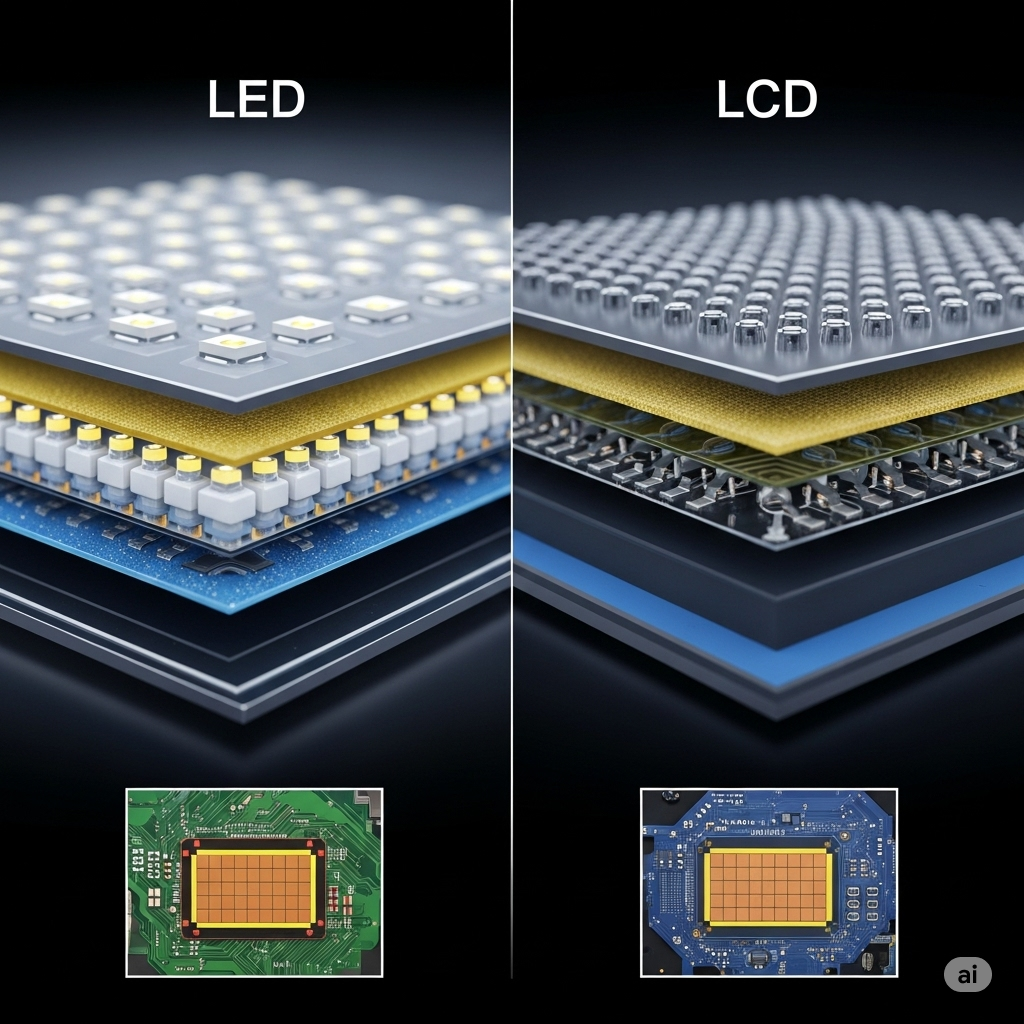
LCD stands for Liquid Crystal Display. It uses liquid crystals sandwiched between two layers of glass or plastic and a backlight to produce images.
How it works:
- Light from a fluorescent lamp (usually CCFL) passes through a polarizing layer.
- Liquid crystals manipulate the light to form images.
- A color filter adds color to the grayscale images formed by the crystals.
Key Features:
- Requires fluorescent backlighting
- Produces images by filtering light through liquid crystals
- Commonly found in budget TVs, monitors, calculators, digital watches
Pros:
- Low production costs
- Good for general use
- Energy efficient compared to older tech like CRT
Cons:
- Weaker contrast and color accuracy
- Slower response times
- Less energy efficient than LED
💡 What is LED?
LED stands for Light Emitting Diode, and LED displays are a subset of LCD technology that uses LED backlights instead of CCFLs.
How it works:
- A panel of white or RGB LEDs emits light behind or on the edge of the LCD panel.
- Provides more precise lighting and dynamic contrast.
Types of LED Displays:
- Edge-Lit LED: LEDs placed along the edges; allows for thinner displays.
- Full-Array LED: LEDs placed evenly behind the panel for better contrast.
- Mini-LED (2025 trend): Uses thousands of tiny LEDs for sharper brightness control.
Pros:
- Slimmer designs
- Higher brightness and contrast
- Greater color accuracy and energy efficiency
- Longer lifespan than standard LCDs
Cons:
- Costlier than LCDs
- Edge-lit models may have uneven lighting
🆚 LED vs LCD: Key Differences
| Feature | LCD | LED |
|---|---|---|
| Backlighting | CCFL (fluorescent) | LED (light-emitting diode) |
| Brightness | Moderate | High |
| Energy Efficiency | Medium | High |
| Color Accuracy | Average | Better |
| Lifespan | Shorter | Longer |
| Viewing Angles | Narrower | Wider (especially IPS LEDs) |
| Cost | Lower | Slightly higher |
Learn more about emerging display technologies and their applications at SpaceCoastDaily.co.uk
📱 Advanced Variants to Consider in 2025
🔹 QLED (Quantum Dot LED)
- Developed by Samsung
- Uses quantum dots to improve color range and brightness
- Better than LED in terms of vibrancy
🔹 OLED (Organic LED)
- Individual pixels emit light (no backlight needed)
- Excellent black levels, contrast, and ultra-slim design
- More expensive, used in high-end TVs and smartphones
🔹 Mini-LED
- Offers better control over dimming zones
- Reduces halo effects and improves dynamic range
- Becoming mainstream in high-end monitors and TVs
These technologies often build upon LED panels, offering better performance at a higher price.
📊 Use Cases: Which One Is Better for You?
📺 For Watching TV
- LED TVs are ideal due to better brightness, energy use, and sleek designs.
- Go for Full-Array LED for optimal movie experience.
💻 For Office Work
- LCD monitors are sufficient for word processing, browsing, and spreadsheets.
- LED provides less eye strain over long periods — recommended.
🎮 For Gaming
- LED monitors with high refresh rates and low response times are superior.
- Avoid basic LCDs due to ghosting and lag.
📱 For Smartphones/Tablets
- LED and OLED dominate the mobile space due to high-quality visuals and efficiency.
🧠 Final Thoughts
While LCD and LED both belong to the same display technology family, LED is significantly superior in most categories that matter to users today — including brightness, energy use, durability, and visual quality.
In 2025, unless you’re shopping on a very tight budget, LED should be your default choice. However, be aware of more advanced options like Mini-LED or OLED if your usage includes creative work, high-end gaming, or home cinema setups.
Looking for more tech comparisons and practical guides? Visit SpaceCoastDaily.co.uk for regularly updated articles and smart recommendations.
❓FAQ: LED vs LCD
Q1: Is LED better than LCD?
Yes. LED is generally better due to its superior brightness, contrast, and energy efficiency.
Q2: Do LED TVs last longer than LCD?
Yes, they tend to have longer lifespans and better reliability.
Q3: Are LED screens more expensive?
Slightly, but they offer better value over time.
Q4: Can I use an LCD monitor for gaming?
Yes, but modern LED monitors are much better suited for gaming due to faster refresh rates.
Q5: Is OLED the same as LED?
No. OLED is a different, more advanced technology that offers individually lit pixels and deeper blacks.
Q6: What is Mini-LED and should I consider it?
Mini-LED is a newer version of LED offering improved contrast and brightness. It’s ideal for professionals and enthusiasts.

🌞 Introduction
Want to cut down your electricity bills and reduce your carbon footprint? A DIY solar panel setup for home might be the solution you’re looking for. With solar technology becoming more affordable and efficient, more homeowners are turning to solar power as a long-term investment in sustainability.
In this guide, we’ll break down everything you need to know about setting up a solar panel system yourself—from equipment selection to installation and maintenance. Whether you’re a total beginner or somewhat handy, you’ll walk away ready to go solar, save money, and take control of your home’s energy use.
⚡ Why Choose a DIY Solar Panel Setup for Home?
💰 Cost Savings
One of the biggest advantages of going DIY is saving on labor costs. Hiring professionals can cost thousands, while a DIY setup significantly lowers your total investment.
🌱 Environmental Impact
Solar power is clean and renewable. A typical home system can reduce 3 to 4 tons of carbon emissions annually.
💡 Energy Independence
Producing your own electricity reduces dependence on utility companies and protects you from rising energy prices.
🧰 What You Need for a DIY Solar Panel Setup
Before diving into the installation process, gather these key components:
1. Solar Panels
-
Choose monocrystalline for higher efficiency.
-
Polycrystalline is cheaper but slightly less efficient.
2. Inverter
-
Converts DC (from panels) into AC (for your home).
-
Types: String inverter, microinverters, hybrid inverters.
3. Charge Controller
-
Regulates voltage and current from panels to batteries.
-
Prevents battery overcharging.
4. Battery Bank (Optional but Recommended)
-
Stores excess power for use during night or outages.
-
Lithium-ion batteries are ideal but expensive.
5. Mounting System
-
Roof mounts or ground mounts, based on your space.
-
Ensure they’re durable and weather-resistant.
6. Wiring and Connectors
-
Solar-grade cables (MC4 connectors recommended).
-
Proper fuses and circuit breakers for safety.
7. Net Meter (Optional)
-
For grid-tied systems to earn credit on your power bill.
🛠️ Step-by-Step: How to Install DIY Solar Panels at Home
🔍 Step 1: Assess Your Energy Needs
-
Review your electricity bills (monthly kWh usage).
-
Decide whether to go off-grid, grid-tied, or hybrid.
📐 Step 2: Site Evaluation & Solar Access
-
Use tools like PVWatts or Google Project Sunroof.
-
Ensure your roof gets at least 5-6 hours of direct sunlight daily.
🧮 Step 3: Calculate System Size
-
Average home uses ~900 kWh/month.
-
A 5 kW system (~15-20 panels) usually covers this.
🛒 Step 4: Purchase Equipment
Buy from trusted suppliers with warranty options. For top-tier solutions, check out Circle Solar, a leader in sustainable solar energy solutions.
🔧 Step 5: Install Mounting & Panels
-
Attach the mounting system to your roof or ground.
-
Secure panels onto the racking system.
🔌 Step 6: Connect Electrical Components
-
Wire panels → charge controller → battery bank → inverter → home grid.
-
Ensure all safety disconnects and grounding are in place.
📋 Step 7: Inspection & Activation
-
Get local authority inspection if required.
-
Turn on the system and monitor output via your inverter app or meter.
🔄 Maintenance Tips for Long-Term Efficiency
-
Clean panels 2-3 times a year to remove dust and debris.
-
Check wiring annually for signs of wear or corrosion.
-
Monitor performance with apps or online dashboards.
🧠 Pro Tips for DIY Success
-
Start small: Begin with a portable or single-panel system if you’re new.
-
Take safety seriously: Wear protective gear and follow all electrical codes.
-
Consult your utility provider: Especially for grid-tied systems.
🌐 Real-World Success: Why People Are Going Solar
More and more UK residents are adopting DIY solar power to fight rising energy costs and embrace a sustainable lifestyle. Platforms like Space Coast Daily regularly feature success stories and resources on renewable energy—proving that the solar movement is thriving.
✅ Conclusion: Ready to Harness the Sun?
Installing a DIY solar panel setup for home is not just a trend—it’s a smart investment in your future. With the right tools, planning, and guidance, you can generate your own clean electricity and gain true energy independence.
So, are you ready to start your solar journey? Bookmark this guide, explore Space Coast Daily for the latest in sustainable energy trends, and consider checking out Circle Solar for premium components that last.
❓ FAQ: DIY Solar Panel Setup for Home
Q1: Is it legal to install solar panels myself?
A: Yes, in most regions, DIY installations are legal. However, check your local codes and permit requirements.
Q2: How much does a DIY solar system cost?
A: Expect to spend between £3,000 to £6,000, depending on system size and quality.
Q3: Can I run my entire house on solar?
A: Yes, with a properly sized system and battery backup, you can power your whole home.
Q4: How long do solar panels last?
A: Most panels come with a 25-year warranty and can last even longer with proper care.
Q5: Do I need batteries for my solar system?
A: Batteries are optional but useful for off-grid setups and backup during outages.
📝 Introduction
Artificial intelligence is rapidly transforming how we interact online, and Janitor AI is one of the most buzzed-about names in the chatbot space—especially for users looking for customizable, conversational, and even NSFW AI interactions.
Whether you’re exploring it for entertainment, roleplay, or productivity, this guide covers everything you need to know about Janitor AI in 2025—from how it works, its features, limitations, and even the controversy surrounding it. If you’re curious, cautious, or ready to dive in, this is your ultimate reference.
🤖 What is Janitor AI?
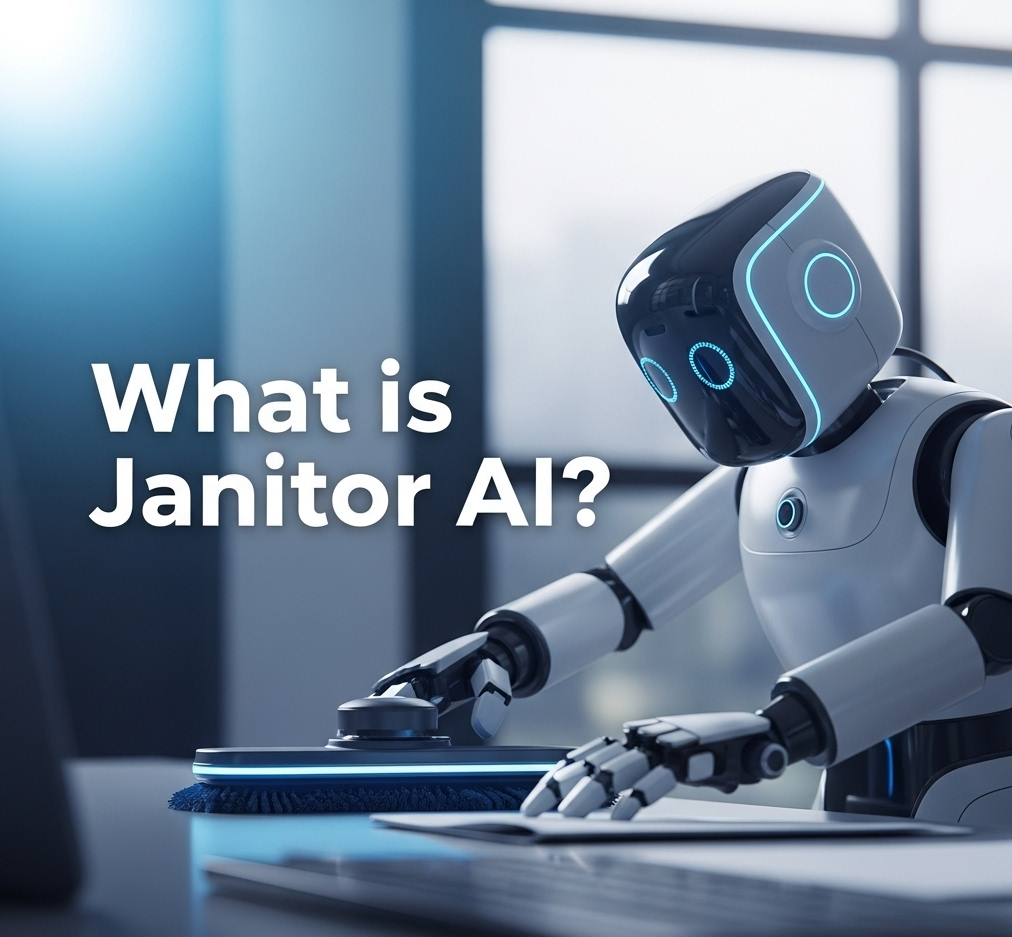
Janitor AI is an advanced AI chatbot platform that allows users to interact with a variety of characters—ranging from anime-style bots to customizable virtual personalities. Unlike traditional AI chat tools, Janitor AI focuses heavily on character roleplay, storytelling, and human-like interaction.
Many users have been drawn to the platform due to its allowance (at times) for NSFW (Not Safe For Work) conversations, making it popular among adult users. However, its capabilities extend beyond that.
🔹 Key Features:
-
Character-based AI chats (custom bots)
-
NSFW and SFW modes (optional)
-
GPT-based responses (OpenAI or Kobold API supported)
-
Voice synthesis (in some versions)
-
Public character library
📌 Janitor AI Use Cases in 2025
Despite the controversy, Janitor AI is being used for several legitimate and interesting purposes:
1. Roleplay & Storytelling
Writers and fans use the platform for:
-
World-building
-
Character interaction testing
-
Generating dialogues for scripts and comics
2. Entertainment & Fun
-
Anime fan chats
-
Simulated romantic convos
-
Gaming companion bots
3. Mental Health & Venting
Some users engage with soft-spoken bots to:
-
Simulate therapy
-
Talk out problems
-
Seek non-judgmental conversation
4. Productivity Simulation
-
Practice job interviews
-
Language learning through simulated chats
-
Train customer service interactions
🛠️ How Janitor AI Works
Janitor AI is not powered by its own LLM (Large Language Model). Instead, it connects with external APIs like:
-
OpenAI (ChatGPT) – for safe, filtered interactions
-
KoboldAI or Pygmalion – for unfiltered/NSFW content
-
Local Models (e.g., SillyTavern) – for privacy-focused chats
To use Janitor AI:
-
Sign up and login at [janitorai.com] [EXTERNAL LINK]
-
Choose a character from the public library or create your own.
-
Connect an API key (OpenAI or KoboldAI).
-
Start chatting with the bot of your choice.
⚠️ Note: You must configure API settings correctly. Many users get errors if APIs are not linked.
🚫 NSFW & Content Safety: The Big Debate
One of the reasons Janitor AI became viral is because it allowed NSFW chats, especially using Pygmalion or OpenRouter APIs.
However, this has sparked massive debates online, especially around:
-
AI ethics
-
Age restrictions
-
Content moderation
In 2024-2025, Janitor AI removed direct NSFW support on its main platform, but users still bypass this using external APIs or local installations.
🔒 Tips for Safe Use:
-
Use a local model if privacy is a concern.
-
Never share real personal data.
-
Check if the bot creator has moderation settings enabled.
-
Keep SFW mode on if under 18 or in public/shared devices.
📈 Why Janitor AI is So Popular in 2025
| Reason | Description |
|---|---|
| Customizable Bots | Create your own characters with unique personalities |
| Roleplay Freedom | Many bots simulate romantic or fantasy dialogues |
| Easy to Use | No coding needed, simple UI |
| Cross-Platform | Use in browser, Discord bots, or third-party apps |
| Large Community | Public bots, shared prompts, guides available |
🔄 Janitor AI Alternatives (2025)
If Janitor AI doesn’t suit your needs, here are some trending alternatives:
1. Character.AI
-
Family-friendly
-
No NSFW content
-
Great UI & mobile app
2. Chai App
-
Available on Android & iOS
-
Tons of user-generated bots
-
Less control over filtering
3. Pygmalion AI + SillyTavern
-
Fully unfiltered
-
Requires setup
-
Works offline with local LLMs
4. OpenAI Playground (ChatGPT)
-
Reliable for clean conversations
-
Limited in roleplay compared to Janitor
📌 For a comparison article, see: [Janitor AI vs Character AI – Which is Better?] [INTERNAL LINK]
💻 Developer & Community Tools
If you’re a developer or enthusiast, Janitor AI allows:
-
Bot creation: Customize prompts, memories, behavior.
-
API linking: Choose your preferred backend model.
-
Community uploads: Share your bot with others.
-
Third-party mods: Chrome extensions, Discord integrations
Some devs even run private versions of Janitor AI using open-source tools like:
-
JanitorAI-Local
-
Sillytavern UI
-
KoboldCPP
✅ Pros and Cons
| Pros | Cons |
|---|---|
| Deep roleplay capabilities | May violate ethical/age guidelines |
| Supports multiple AI backends | Complex setup for unfiltered APIs |
| Active community & support | NSFW misuse concerns |
| Free to use (with API) | Not beginner-friendly without guides |
📌 Conclusion (with Links Added)
Janitor AI is much more than just another chatbot it’s a powerful, flexible platform for those looking to dive into immersive conversations with fictional, realistic, or AI-generated characters. Whether you’re writing a fantasy novel, simulating a companion, or just killing time, it opens up countless possibilities.
But with great flexibility comes responsibility. Use Janitor AI ethically, protect your privacy, and respect the boundaries of content guidelines.
Want to explore more ways to leverage AI? Check out our guide on
👉 How to Make Money with ChatGPT in 2025 – 10 Proven Methods
Or visit our homepage for more trending AI tools, tech updates, and tutorials:
🌐 SpaceCoastDaily.co.uk
❓ FAQ – Janitor AI 2025
Q1: Is Janitor AI free to use?
Yes, the platform is free, but you’ll need to connect your own API key (like OpenAI, Kobold, or Pygmalion).
Q2: Is NSFW content still available?
Officially, NSFW content is restricted. However, users can still access it via third-party APIs or local setups.
Q3: Is Janitor AI safe?
It’s generally safe if you use trusted APIs and don’t share personal info. For NSFW use, caution is advised.
Q4: Can I use it without coding?
Yes, Janitor AI has a user-friendly interface. You only need to copy-paste API keys.
Q5: What is the best API for Janitor AI?
For filtered, ethical use: OpenAI. For unfiltered creative freedom: KoboldAI or Pygmalion.

Doodflix: An In-Depth Look at the Risks and Safe Streaming Alternatives

Delta Flight DL275 Diverted to LAX: What Travelers Need to Know

80F to C: Convert Fahrenheit to Celsius Easily in 2025


-

 Tech2 weeks ago
What is Janitor AI? Features, Use Cases & How to Use It Safely in 2025
-
 Tech3 weeks ago
Portalar (PortalAR) Guide 2025: How AR Portals Transform Environments
-

 news2 weeks ago
Binomo Scam Exposed: Real Truth Behind the Trading App You Must Know in 2025
-
 news2 weeks ago
ChatGPT vs Google Gemini: Which AI Wins in 2025?
-

 General3 weeks ago
UK Visa Fees 2025: Complete Breakdown for Students, Workers & Tourists
-

 news3 weeks ago
James Webb Telescope News: Exploring the Frontiers of the Universe
-

 Gaming3 weeks ago
Best Gaming Accessories Under $50 in 2025 – Ultimate Budget Gaming Upgrades
-

 Fashion3 weeks ago
Sheer Maxi Dress 2025: The Chic Look Everyone Will Be Wearing