

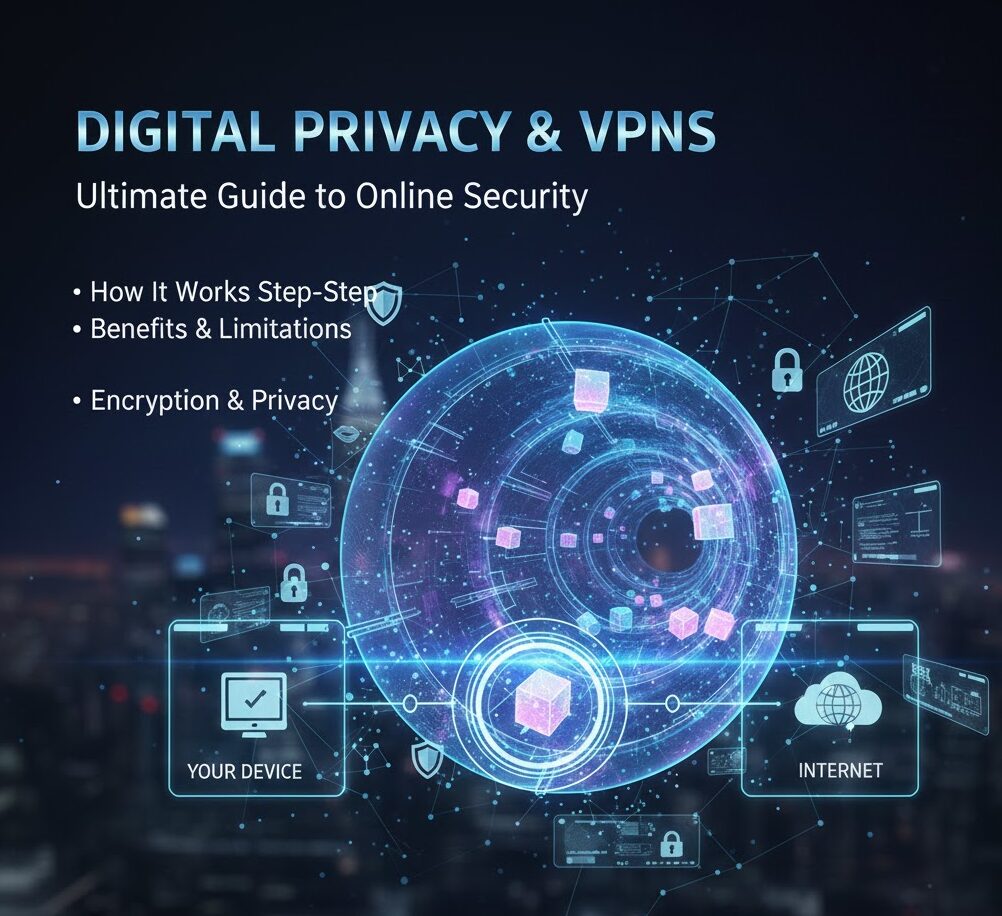
In today’s digital world, privacy and online security have become major concerns. Whether you are browsing the internet, using public Wi-Fi, or accessing restricted content, your online activity can be tracked. This is where a VPN comes into play.
In this detailed guide, we’ll explain what a VPN is, how it works step by step, its benefits, limitations, real-life use cases, and whether it is safe to use.
What Is a VPN?
A VPN (Virtual Private Network) is a technology that creates a secure and encrypted connection between your device and the internet.
In simple words:
👉 A VPN hides your real IP address
👉 Protects your online data
👉 Keeps your internet activity private
Instead of connecting directly to websites, your data first passes through a VPN server, making it difficult for anyone to track you.
Why Do People Use a VPN?
People use VPNs for many reasons, including:
-
Protecting privacy
-
Securing data on public Wi-Fi
-
Accessing geo-restricted content
-
Avoiding tracking by ISPs
-
Improving online safety
How Does a VPN Work? (Step-by-Step Explanation)
A VPN works using a combination of encryption and secure tunneling.
1️⃣ Internet Connection Without a VPN
When you connect to the internet normally:
-
Your device connects directly to websites
-
Your IP address is visible
-
Your ISP can see your browsing activity
This means your data is not fully private.
2️⃣ VPN Connection Starts
When you turn on a VPN:
-
Your device connects to a VPN server
-
This server can be in another country
-
A secure tunnel is created
3️⃣ Data Encryption
Before your data leaves your device:
-
The VPN encrypts it
-
Data becomes unreadable to hackers or ISPs
Even if someone intercepts it, they cannot understand it.
4️⃣ IP Address Masking
The VPN server replaces your real IP address with its own.
Example:
Your real location → Pakistan
VPN server location → UK
Websites will think you are browsing from the UK.
5️⃣ Secure Access to Websites
The VPN server sends your request to the website and brings back the response — all while keeping your identity hidden.
Types of VPNs
🔹 Personal VPN
Used by individuals for privacy, streaming, and security.
🔹 Business VPN
Used by companies to allow employees secure remote access.
🔹 Mobile VPN
Designed for smartphones and tablets, even when networks change.
Common VPN Protocols (Simple Explanation)
VPN protocols decide how data is encrypted and transmitted.
-
OpenVPN – Secure and widely used
-
WireGuard – Fast and modern
-
IKEv2/IPSec – Stable for mobile users
-
L2TP/IPSec – Older but reliable
Benefits of Using a VPN
✅ Enhanced Privacy
Your online activity remains hidden from ISPs and trackers.
✅ Security on Public Wi-Fi
Protects your data on airports, hotels, and cafes.
✅ Access to Restricted Content
Helps access region-locked websites and services.
✅ Safe Remote Work
Allows secure access to company networks.
Limitations of a VPN
❌ Reduced Internet Speed
Encryption may slightly slow down your connection.
❌ Not 100% Anonymous
VPNs improve privacy but don’t make you invisible.
❌ Free VPN Risks
Free VPNs may log data or show ads.
Is Using a VPN Legal?
In most countries, using a VPN is legal.
However:
-
Some countries restrict or regulate VPN usage
-
Some services block VPN traffic
Always check local laws before using a VPN.
Is a VPN Safe to Use?
Yes, if you choose a trusted provider.
Good VPN practices:
-
No-logs policy
-
Strong encryption
-
Trusted reputation
-
Clear privacy policy
Avoid unknown or suspicious VPN apps.
VPN vs Proxy: What’s the Difference?
| Feature | VPN | Proxy |
|---|---|---|
| Encryption | Yes | No |
| Security | High | Low |
| Privacy | Strong | Weak |
| Speed | Moderate | Fast |
VPNs offer much better protection than proxies.
Who Should Use a VPN?
A VPN is useful for:
-
Remote workers
-
Students
-
Travelers
-
Journalists
-
Anyone concerned about online privacy
Future of VPN Technology
VPNs are evolving with:
-
Faster protocols
-
Better mobile support
-
Stronger privacy laws
-
Integration with cybersecurity tools
As privacy concerns grow, VPN usage is expected to increase.
FAQs About VPNs
❓ Does a VPN hide browsing history?
It hides activity from ISPs, but not from your browser or websites you log into.
❓ Can a VPN protect against hackers?
Yes, especially on public Wi-Fi networks.
❓ Are free VPNs safe?
Most free VPNs have limitations and privacy risks.
Final Thoughts
A VPN is one of the most effective tools for improving online privacy and security. While it’s not a magic solution, it plays a critical role in protecting data, especially in an era of increasing cyber threats.
Understanding how a VPN works helps users make informed decisions and use the internet more safely.
Other Posts
Cyber Security Courses in London
Laser Cleaning VS Sandblasting: A Comprehensive Comparison
Rob Dyrdek Net Worth 2025 – Full Biography, Earnings & Business Empire












Leave a Reply